Docs · Integration
Add to packinggoods
Hand your users one link, and your models show up in every agent they run: Claude Code, Codex, OpenCode, Gemini CLI, Pi, Crush. No config files, no environment variables, no copy-pasting base URLs.
Quick start
- Build a linkDescribe your endpoint as URL parameters: a name, a base URL per API you speak, and optionally the user’s key and the models to offer.
- Put it behind a buttonOn your dashboard, next to the key you just minted: Add to packinggoods.
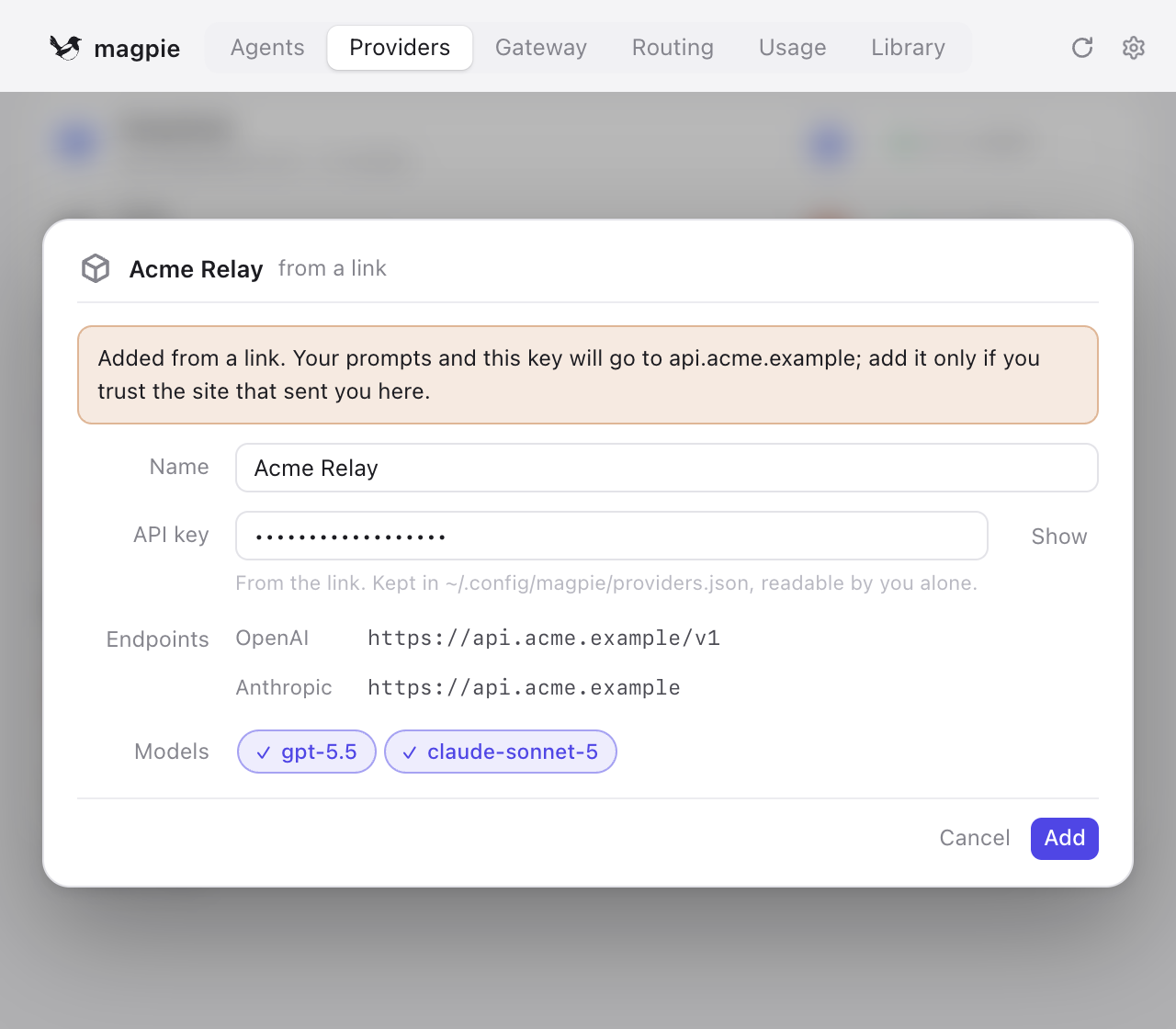
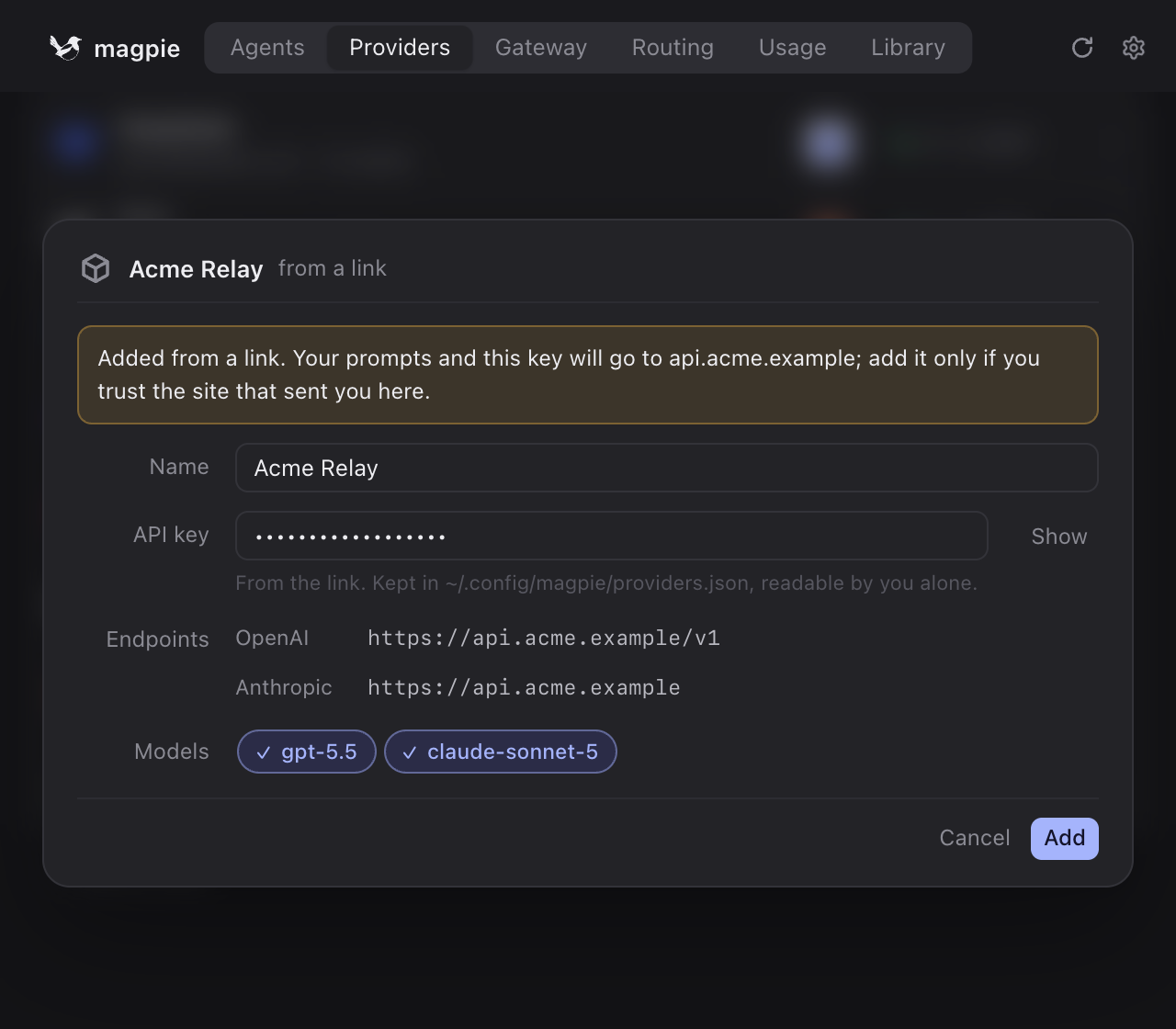
- The user confirmspackinggoods opens, shows exactly where prompts and the key will go, and adds the provider when the user says yes. Every agent can use it right away.
https://packinggoods.com/import#name=Acme%20Relay&chat=https://api.acme.example/v1&anthropic=https://api.acme.example&key=sk-…&models=gpt-5.5,claude-sonnet-5
The link
packinggoods registers the packinggoods:// scheme with the system. An import link is that scheme, the word import, and a query string:
On the web, link to the same parameters on packinggoods.com/import instead, after a #:
Why the https link
It works everywhere a link does: GitHub READMEs, chat apps and email clients drop or block custom schemes. It opens packinggoods, and offers the download when packinggoods isn’t installed yet.
Why after the #
Browsers never send the fragment to a server. The key goes from your page to the user’s machine without passing through packinggoods.com, not even its logs.
Every value is URL-encoded, as URLSearchParams or urlencode produce. Both %20 and + work for spaces.
Parameters
A link either names one of packinggoods’s presets, which already knows the vendor’s endpoints, or describes a provider from scratch with a name and at least one base URL.
| Parameter | Meaning |
|---|---|
nameor preset | What the provider is called in packinggoods, at most 80 characters. |
chat | OpenAI Chat Completions base URL, ending in /v1 (packinggoods appends /chat/completions). |
responses | OpenAI Responses base URL, ending in /v1. Codex speaks only this API; packinggoods translates for it when you don’t. |
anthropic | Anthropic Messages base URL: the root, without /v1. |
gemini | Google Gemini API base URL, ending in /v1beta, as the app’s editor and the TUI take one. |
key | The user’s API key. Leave it out and the user pastes one in the dialog. |
models | Model ids to offer the agents, comma separated. Without it, packinggoods lists the models your /v1/models returns. |
id | The id agents use in id/model. Defaults to the name, lowercased with dashes (Acme Relay → acme-relay). |
catalog | A models.dev provider id whose metadata applies, e.g. openai for a relay of OpenAI models: display names, context sizes (written into the agents that take them), reasoning levels and image input; the model list when the provider’s own /models can’t be read; and per-token prices, which the Usage page turns into a cost estimate in USD. Several ids may be given, comma-separated: their models are combined, and where two know the same model the first one’s entry is used. |
website | Your site (https). Shown on the provider’s page. |
keys | The page where users make keys (https). The dialog links to it when the link has no key. |
icon | A picture of your own (https): PNG, JPEG, GIF, WebP, ICO or SVG, at most 1 MB. packinggoods downloads it once, after the user confirms the import, and keeps it beside the provider. Without one, packinggoods shows the catalog vendor’s logo or a plain mark. |
balance | Where the key’s balance is read (https), on the host of one of your base URLs: packinggoods asks it with the key, as a chat request sends it. {key} in it stands for the key. Without it, packinggoods reads the vendors it knows, and asks a relay where new-api and sub2api tell a key its balance (/api/usage/token, /v1/usage); give one when yours answers elsewhere. |
balance_path | Where the amount is in the JSON reply: a dotted path, list items by index (data.balance, balance_infos.0.total_balance), or a sum of them in your own units ($ data.quota / 500000). $ or ¥ before it is the currency, % after it a percent of 1; several amounts go apart by ;, each with a label: if wanted. Needs balance. |
balance_method | GET, the default, or POST with no body. Needs balance. |
presetor name | A preset id; its endpoints, catalog and pages are used, and name may rename it. |
region | With a preset that has regions, which one. |
At least one of chat, responses, anthropic and gemini is required without a preset; give every API you speak, and each agent uses the one it speaks natively. Base URLs must be https, except plain http to localhost, loopback, private addresses and *.local, where model servers usually run without TLS. They can’t carry a query, a fragment or credentials.
A link sets no other header or token for the balance: an account-wide access token is worth more than one key, and a URL stays in browser history. A balance that needs one is set up in the provider’s editor.
Presets
Vendors packinggoods already knows. packinggoods presets prints the current list.
anthropicopenaigoogledeepseekxaimoonshotKimimoonshot-cnkimi-codekimi-code-cnzhipuGLM · api · codingzaiapi · codingminimaxminimax-cnstepfunplan · apistepfun-cnplan · apixiaomiMiMolongcatbaidu-qianfan千帆 · personal · team · apitencent-cloudplan · cn · intl · enterprise · enterprise-intlhuaweicloudplan · apivolcengine火山方舟 · coding · agent · apiqwenqwen-cnqwen-token-planbailian-token-planqwencloudap-southeast-1 · us-east-1 · eu-central-1 · ap-northeast-1 · cn-hongkong · cn-beijingqwencloud-token-planmistralvoyagegroqbedrockollama-cloudopenroutervercelopencode-goclinepassopencode-zenkilocommandcodetogetherfireworkssiliconflowcn · intlnvidiamodelscope魔搭aihubmixpipellm302aicherryinyylxauto · global · cnaigocodeollamalmstudio
A vendor with a preset only needs to add the key: packinggoods://import?preset=deepseek&key=sk-…. Want yours on the list? Open an issue.
Link builder
Fill in your endpoint; the link, the button and the Markdown follow as you type. Everything stays in this page.
 Try it
The button
Two ready-made badges, one for light pages and one for dark. Link them to your import link, or draw your own button: the words Add to packinggoods and the bird are yours to use.

<a href="https://packinggoods.com/import#preset=deepseek&key=sk-…">
  <img src="https://packinggoods.com/img/add-to-packinggoods.svg" alt="Add to packinggoods" width="176" height="40">
</a>
[](https://packinggoods.com/import#preset=deepseek)
For dark pages, use add-to-packinggoods-light.svg. A public page like a README should never carry a key; leave key out and the user pastes their own.
From your backend
The natural place for the button is the page that shows a freshly minted key. Build the link where you have it:
const params = new URLSearchParams({
  name: "Acme Relay",
  chat: "https://api.acme.example/v1",
  anthropic: "https://api.acme.example",
  key: apiKey,
  models: ["gpt-5.5", "claude-sonnet-5"].join(","),
  icon: "https://acme.example/logo.svg",
});
const href = "https://packinggoods.com/import#" + params;
from urllib.parse import urlencode

href = "https://packinggoods.com/import#" + urlencode({
    "name": "Acme Relay",
    "chat": "https://api.acme.example/v1",
    "anthropic": "https://api.acme.example",
    "key": api_key,
    "models": "gpt-5.5,claude-sonnet-5",
    "icon": "https://acme.example/logo.svg",
})
packinggoods import 'packinggoods://import?preset=deepseek&key=sk-…' # asks first; -y to skip
Security
An import link is a suggestion. The user decides.
- Always confirmed. packinggoods shows the name, every host that prompts and the key will go to, and the models, and saves nothing until the user presses Add. The user can rename it, or replace the key, first.
- No silent overwrites. When the id is already taken, the dialog says so and the button reads Replace.
- https only. Plain http is refused except to this machine or the local network;
file:, credentials in URLs and other schemes are refused outright. - Read once. Inside the app, the link’s contents are handed to the window a single time; a reload doesn’t bring the dialog back.
- Icons are fetched, not embedded. An
icon=URL is downloaded by packinggoods, only after the user confirms the import, only over https, and only into its own icons folder — at most 1 MB, and the type is checked. packinggoods asks for it through packinggoods.com’s icon proxy, so your host sees Cloudflare’s address and never the user’s, and the fetch is made from Cloudflare, where nothing on the user’s own machine or network can be reached. A loopback or local-network name is refused before anything is asked. The page and the dialog never load a remote picture directly. - The balance stays on your hosts. A
balance=URL on any host but one of the link’s base URLs is refused, so the key goes nowhere its requests don’t already go. It is asked only after the user adds the provider. - Keys stay out of servers. The web link keeps parameters in the fragment. The key ends up only in
~/.config/packinggoods/providers.json, readable by the user alone.
Platforms
| System | How packinggoods:// gets registered |
|---|---|
| macOS | By the app itself, as soon as packinggoods.app is in Applications. |
| Windows | For the current user, the first time packinggoods runs. |
| Linux | By a desktop entry (x-scheme-handler/packinggoods), written by the installer and again on first run. |
| Terminal | packinggoods import <link> shows the same summary and asks before adding. |
CC Switch links. packinggoods also opens the ccswitch://v1/import?resource=provider&… links relays make for CC Switch (app, name, endpoint, apiKey, apiFormat, model, or a base64 config), with the same confirmation. Only providers are taken, not prompts, MCP servers or skills. packinggoods claims the scheme only when no other app has it, so CC Switch, if installed, keeps its links (on macOS, where both can claim it, the system picks).
Import links need packinggoods 0.1.8 or later. When packinggoods is already running, the link goes to that instance and its window comes forward.